


- Understanding the Basics of DJ Music Downloads
- Legal Considerations and Copyright in the UK
- Choosing the Right Source: Free vs Paid Libraries
- How to Evaluate Track Quality for Live Sets
- Organising and Managing Your Downloaded Library
- Essential Tools for Downloading and Preparing Tracks
- Integrating Downloads into Your DJ Software Workflow
- Tips for Optimising Bandwidth and Storage
- Frequently Asked Questions
DJ Music Download Tips: A Practical Guide for UK DJs
Understanding the Basics of DJ Music Downloads
Before you start hunting for tracks, it helps to know what a DJ music download actually entails. Most downloads are delivered as high‑quality MP3, AAC or lossless formats such as WAV and FLAC, allowing you to preserve the original dynamics of a track. In the UK, the majority of reputable platforms host a catalogue that spans mainstream chart hits, underground releases, and niche sub‑genres. Knowing the file type and bitrate you prefer will shape the rest of your download strategy.
The process typically involves creating an account, browsing a catalogue, and either purchasing individual tracks or subscribing for unlimited access. Some services also offer curated playlists that match specific moods or gig types, which can save you time when you need fresh material quickly. When you understand these fundamentals, you can focus on the finer points of selection and legality.
Legal Considerations and Copyright in the UK
UK copyright law protects the original recordings and the underlying compositions, meaning that downloading music without proper licence is illegal. Most legitimate download sites provide a licence that covers personal use and public performance in a DJ set, but the exact terms can vary. Always check the licence details before you hit “download” to avoid inadvertent infringement.
For venues that require a licence, the responsibility usually lies with the venue’s Performing Rights Organisation (PRO) – typically PRS for Music or PPL. However, as a DJ you should keep records of where you sourced each track and retain receipts, as this can be useful if any queries arise. Understanding your obligations protects both your reputation and your business.
Choosing the Right Source: Free vs Paid Libraries
Both free and paid libraries have a place in a DJ’s workflow, but each comes with distinct trade‑offs. Free sites often rely on user‑generated uploads and may lack consistency in audio quality or metadata. Paid services, on the other hand, usually guarantee high‑resolution files, reliable licence coverage, and curated collections.
When deciding where to invest, consider how frequently you perform, the genres you play, and your budget. For occasional hobby gigs, a mix of reputable free sources and occasional paid purchases can be sufficient. For professional club or festival work, a subscription to a high‑quality catalogue becomes a worthwhile expense.
Free platforms and their limits
- Variable bitrate – often 128‑256 kbps.
- Inconsistent tagging – makes organisation harder.
- Potential copyright risk if the uploader lacks rights.
Paid libraries worth exploring
- Beatport LINK – vast electronic catalogue, subscription model.
- Traxsource – focused on house and techno, pay‑per‑track.
- Juno Download – offers both single purchases and bundles.
How to Evaluate Track Quality for Live Sets
Audio fidelity directly impacts how the crowd perceives your set, especially on powerful club sound systems. Aim for at least 320 kbps MP3 or, better yet, lossless formats when your hardware supports them. Listening to the full track before adding it to your library is essential – pay attention to the low‑end punch, dynamic range, and any clipping.
Use visual tools such as waveform displays in your DJ software to spot inconsistencies. If a track has a sudden drop in volume or noticeable noise, it may need re‑encoding or replacement. Consistently applying a quality checklist saves you from awkward surprises during a performance.
Organising and Managing Your Downloaded Library
A well‑structured music library is a cornerstone of a smooth DJ workflow. Create a folder hierarchy that mirrors how you think about your sets – for example, by genre, sub‑genre, key, or energy level. Consistent naming conventions (Artist – Title – Remix – BPM) help you locate tracks quickly, especially when you’re under pressure.
Metadata tagging should not be an after‑thought. Use tools like MP3Tag or the built‑in tag editor in Rekordbox to ensure BPM, key, and genre fields are accurate. A clean library also improves the reliability of auto‑cue and beat‑grid functions in your software.
Folder structure example
- House
- Deep House
- Tech House
- Techno
- Minimal
- Acid
- Hip‑Hop & RnB
Essential Tools for Downloading and Preparing Tracks
Beyond the download services themselves, a handful of auxiliary tools can streamline the entire process from acquisition to performance. These tools cover batch downloading, format conversion, and metadata management, ensuring your tracks are ready for any set.
The table below highlights some of the most popular utilities, their key features, and typical price ranges.
| Tool | Key Features | Pricing |
|---|---|---|
| MusicBee | Batch tag editing, auto‑download artwork, playlist syncing | Free |
| iTunes / Apple Music | Library management, integration with iOS devices | Free (paid iCloud storage optional) |
| Mixed In Key | Key detection, harmonic mixing suggestions | £34 one‑time |
| Audacity | Audio editing, format conversion, noise reduction | Free |
| Serato DJ Pro | Direct integration with download services, cue‑point management | £99 annual |
Choosing the right mix depends on your existing workflow. For most UK DJs, pairing a free tag editor like MusicBee with a paid harmonic detection tool such as Mixed In Key offers a strong balance of cost and capability.
Integrating Downloads into Your DJ Software Workflow
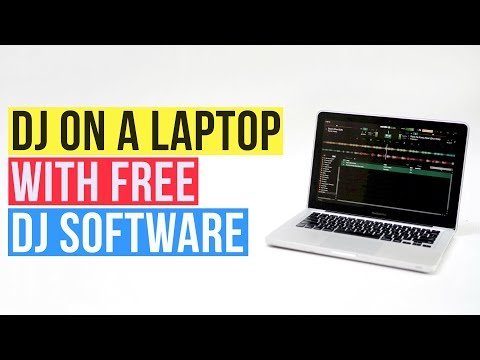
Once your tracks are downloaded and properly tagged, they need to be imported into the DJ software you use for performances. Most modern platforms – Serato DJ Lite, Rekordbox, Traktor Pro, and Virtual DJ – support drag‑and‑drop import, but each also offers deeper integration with certain music services.
For example, Serato DJ Lite can directly sync with Beatport LINK, allowing you to stream tracks without storing them locally, while Rekordbox integrates tightly with the Pioneer DJ ecosystem for seamless hardware control. Understanding these integrations helps you decide whether to keep a fully local library or rely on streaming during gigs.
Step‑by‑step import checklist
- Confirm that the track’s BPM and key are correctly tagged.
- Place the file in the designated folder matching your library hierarchy.
- Open your DJ software and navigate to the “Import” or “Add Folder” function.
- Verify that cue points, loops, and waveform displays load correctly.
- Run a quick preview to ensure the audio plays without glitches.
Following this routine reduces the risk of technical hiccups and keeps your performance flowing smoothly.
Tips for Optimising Bandwidth and Storage
High‑resolution tracks consume considerable storage space and can strain slower internet connections. If you’re working with a modest laptop SSD, consider hybrid storage: keep only the most frequently used tracks locally and store the rest on an external hard drive or a cloud folder synced via services like Dropbox or Google Drive.
When downloading, choose a reasonable bitrate that balances quality and file size – 320 kbps MP3 is often sufficient for club environments, while lossless files are preferred for audiophile‑level venues. Additionally, schedule downloads during off‑peak hours to avoid throttling and ensure faster transfer rates.
Frequently Asked Questions
Can I use tracks downloaded from free sites for public gigs?
Only if the site provides a clear licence permitting public performance. Otherwise, you risk copyright infringement.
Do I need a separate licence for each track?
Generally, a site‑wide licence covers all tracks you download from that service, but always read the terms.
How often should I refresh my library?
Aim to add new releases every month and retire tracks that no longer fit your set style. Regular updates keep your sets fresh and engaging.
For more detailed guidance on locating reliable sources, visit where do dj get music.